HDMI ARC vs eARC: Audio Return Explained
ARC returns stereo and compressed 5.1 over HDMI 1.4; eARC adds uncompressed multichannel PCM and lossless formats like Dolby Atmos. Here is what each needs.
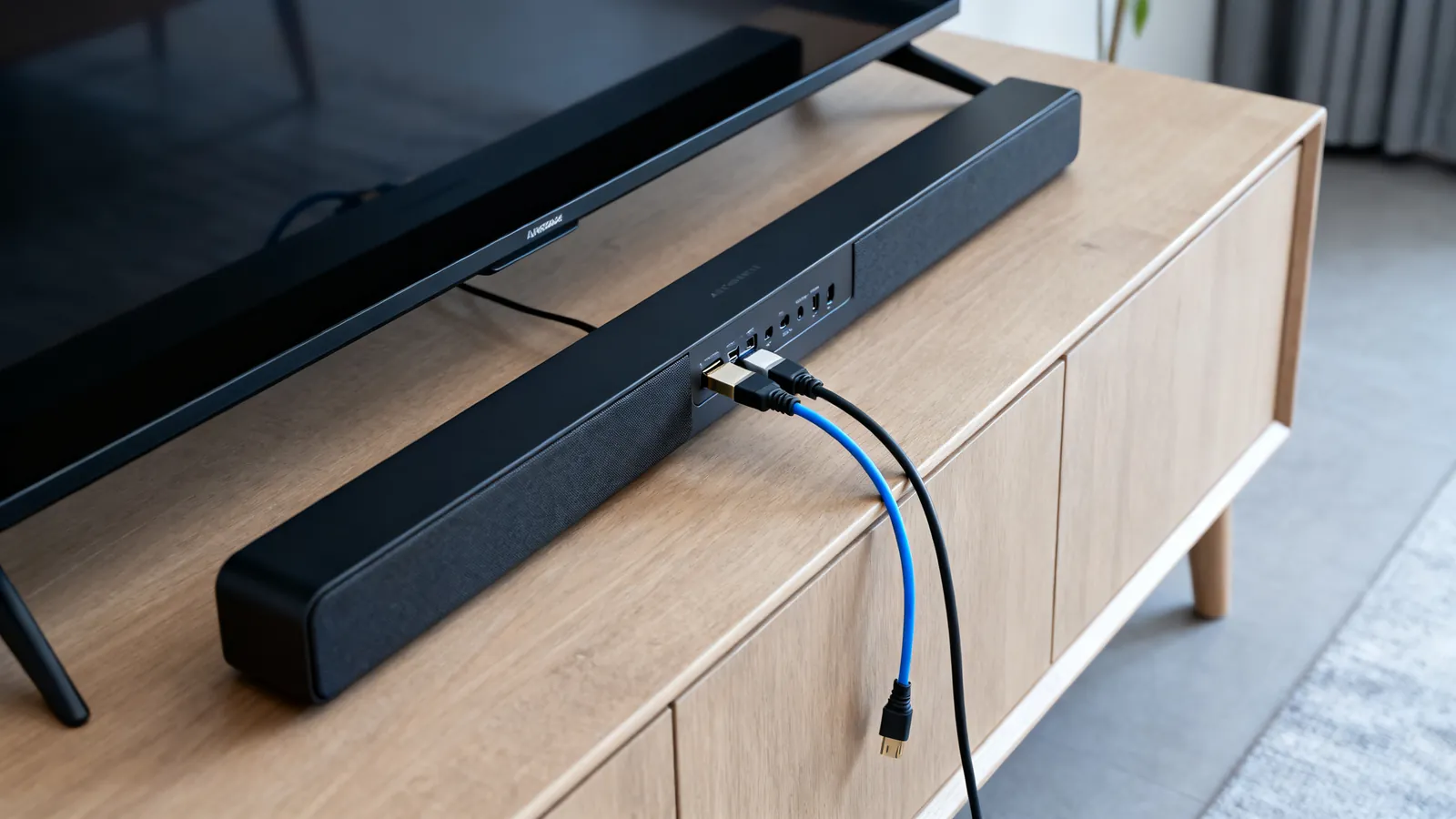
ARC and eARC both send audio from a TV back down the HDMI cable to a soundbar or AV receiver, so the TV’s own tuner and apps can use the external speakers without a second cable. The difference is capacity. ARC (introduced with HDMI 1.4 in 2009) carries stereo PCM and compressed 5.1 such as Dolby Digital and DTS. eARC (introduced with HDMI 2.1 in 2017) carries uncompressed multichannel PCM up to 8 channels and lossless formats such as Dolby TrueHD, DTS-HD Master Audio and Dolby Atmos within them, at up to 37 Mbps. If the source is a streaming app on the TV and the audio is Dolby Atmos in a lossy form, ARC may pass it; if the source is a Blu-ray player plugged into the TV and the audio is lossless, eARC is the only way back.
What each one sends back from the TV
ARC uses the same single HDMI cable that carries video to the TV. The audio travels in the opposite direction, from the TV’s HDMI input labelled ARC to the soundbar or receiver’s HDMI output labelled ARC. It is a return channel, not a separate link.
| Format | ARC (HDMI 1.4) | eARC (HDMI 2.1) |
|---|---|---|
| Stereo PCM | Yes | Yes |
| Compressed 5.1 (Dolby Digital, DTS) | Yes | Yes |
| Uncompressed multichannel PCM | No | Up to 8 channels |
| Dolby TrueHD, DTS-HD Master Audio | No | Yes |
| Dolby Atmos in a lossless stream | No | Yes |
| Maximum audio rate | Compressed bitstream | Up to 37 Mbps |
ARC was designed for the era of broadcast television and DVD, where the best audio on the wire was compressed 5.1. It still handles that. What it cannot do is carry the lossless tracks on a Blu-ray or the uncompressed multichannel PCM that some games and media players output. When a TV receives those formats and only has ARC, it usually downmixes them to stereo or re-encodes them to a compressed 5.1 stream. The result plays, but it is not the track on the disc.
eARC removes that ceiling. It uses the HDMI Ethernet Channel wires inside the cable to carry the audio, which is why the cable matters. The formats it passes are the ones a receiver or soundbar needs to decode Dolby Atmos and DTS:X without losing the object data that makes them work.
Which formats need eARC
Dolby Atmos is the format people ask about most, and the answer depends on how it is delivered. Atmos in a Dolby Digital Plus stream, which is how most streaming services send it, can travel over ARC. Atmos in a Dolby TrueHD stream, which is how it appears on many Blu-ray discs, needs eARC. The same split applies to DTS:X: the lossless version needs eARC, the compressed version does not.
Uncompressed multichannel PCM is the other common case. A games console or computer set to output 5.1 or 7.1 PCM sends more data than ARC can carry. Over ARC the TV will usually fold it down to stereo. Over eARC it arrives intact.
If the audio source is a device plugged into the soundbar or receiver rather than into the TV, the return channel is not involved at all. The receiver takes the audio directly from the player, and the TV only needs to send video the other way. In that layout, ARC and eARC are irrelevant to the sound.
The cable eARC needs
eARC runs on the HDMI Ethernet Channel wires, so the cable must have them. A High Speed HDMI cable with Ethernet has the wires; an Ultra High Speed HDMI cable has them as well. A Standard HDMI cable or an older High Speed cable without Ethernet does not, and eARC will not work over it even if both devices support eARC.
Cable labelling is the practical problem. HDMI cables are certified by speed, not by version number, so a cable marked “HDMI 2.1” is mislabelled. The certification names to look for are Premium High Speed (18 Gbps, 4K at 60 Hz with HDR) and Ultra High Speed (48 Gbps, 4K at 120 Hz and 8K at 60 Hz). Both carry the Ethernet channel. Premium High Speed and Ultra High Speed cables also carry a certification label with a QR code that the official HDMI Cable Certification app verifies. For the full version history and what each one added, see HDMI 1.4, 2.0, 2.1 and 2.2: versions explained.
Length matters less for the audio than for the video, but the same passive copper limits apply. Short passive cables are reliable; as length and speed rise, passive copper becomes less dependable, and active or fiber HDMI cables are used for longer runs. Those cables are directional, and the source end must go to the player or computer, not to the TV.
ARC vs optical: when the optical cable is simpler
An optical cable (TOSLINK) carries the same audio formats as ARC: two-channel PCM and compressed 5.1 such as Dolby Digital and DTS. It does not carry lossless multichannel formats. That makes it a direct substitute for ARC in the common case where the TV is sending broadcast or streaming audio to a soundbar, and it avoids the HDMI handshake and the input labelling that ARC requires.
The trade-offs are real. Optical needs its own cable in addition to the HDMI cable carrying video to the TV, and it cannot carry eARC formats. It also cannot carry the HDMI control signals that let one remote turn both devices on and adjust volume, though many TVs and soundbars can still pass volume commands over HDMI-CEC while audio runs on optical. For a comparison of the two digital audio cables, see optical vs coaxial digital audio.
Choose optical when the audio is stereo or compressed 5.1 and the setup is simple. Choose eARC when the audio is lossless, when it is uncompressed multichannel PCM, or when Atmos needs to arrive with its object data intact.
What goes wrong
Most ARC and eARC failures come down to one of a few things.
- The wrong HDMI input. Only one input on most TVs is labelled ARC, and only one output on most soundbars and receivers is labelled ARC. Plugging into any other port gives video but no return audio.
- A cable without the Ethernet channel. eARC needs the HDMI Ethernet Channel wires. A cable that predates High Speed with Ethernet, or a thin cable sold without that rating, will not carry eARC. The devices may both support eARC and still fall back to ARC.
- A setting left off. Many TVs ship with the HDMI-CEC and ARC functions disabled or set to a different audio output. The menu names vary by maker, but the audio output has to be pointed at the HDMI ARC/eARC port, not at the TV speakers.
- A receiver that does not pass eARC through. If a player is plugged into the receiver and the receiver passes video to the TV, the return audio path has to be handled by the receiver. Some receivers support eARC on their output but not when acting as a pass-through for certain formats.
- A soundbar that only supports ARC. eARC is backward compatible: an eARC TV and an ARC soundbar will negotiate down to ARC. The lossless formats will not pass, and the TV will usually downmix them.
- A format the TV cannot decode. If the TV receives a lossless track from a player and only has ARC, it may not be able to decode it at all, and the result can be silence rather than a downmix. Setting the player to output a compressed format over ARC is the usual fix.
Choosing between them
If the soundbar or receiver supports eARC and the TV does too, use eARC and a Premium High Speed or Ultra High Speed cable. That covers every format either device can handle, and it costs nothing extra in cable terms because the same cable carries the video.
If one end is ARC only, ARC is what you have. Set the source to output compressed 5.1 or stereo PCM, and expect lossless tracks to be converted rather than passed through. If the source is a streaming app on the TV, that is often all the audio there is.
If the setup is a TV and a soundbar with no other sources, and the audio is stereo or compressed 5.1, an optical cable is a valid and often simpler answer. It sidesteps the HDMI handshake entirely. The moment lossless audio or uncompressed multichannel PCM enters the picture, the return channel has to be eARC.
Common questions
What is HDMI eARC?
eARC is the Enhanced Audio Return Channel introduced with HDMI 2.1 in 2017. It sends audio from the TV back down the HDMI cable to a soundbar or receiver, and it carries uncompressed multichannel PCM up to 8 channels and lossless formats such as Dolby TrueHD, DTS-HD Master Audio and Dolby Atmos within them, at up to 37 Mbps.
Do I need a special cable for eARC?
Yes. eARC uses the HDMI Ethernet Channel wires, so the cable must have them. A High Speed HDMI cable with Ethernet or an Ultra High Speed HDMI cable will work. A Standard HDMI cable or an older High Speed cable without Ethernet will not carry eARC, even if both devices support it.
Is eARC better than optical?
eARC carries more: uncompressed multichannel PCM and lossless formats including Dolby Atmos in a TrueHD stream. Optical carries two-channel PCM and compressed 5.1 only. Optical is simpler when the audio is stereo or compressed 5.1, because it avoids the HDMI handshake and input labelling.
Does Dolby Atmos need eARC?
It depends on the stream. Atmos in a Dolby Digital Plus stream, which is how most streaming services send it, can travel over ARC. Atmos in a Dolby TrueHD stream, which is how it appears on many Blu-ray discs, needs eARC.
Why is there no sound from my soundbar over ARC?
Check that the HDMI cable is in the TV input labelled ARC and the soundbar output labelled ARC, that the TV's audio output is set to that port, and that HDMI-CEC is enabled. A cable without the Ethernet channel will also stop eARC from working and may leave the link on ARC or silent.
Sources
Read next
HDMI vs DisplayPort: Which Cable for Which Screen
HDMI and DisplayPort compared: bandwidth, refresh rates, daisy-chaining and adapters. Pick the right cable for a TV, a gaming monitor or a laptop.
Long HDMI Runs: Active, Fiber and HDBaseT
Why long passive HDMI cables fail, how active copper and fiber HDMI cables work, and when HDBaseT over category cable is the right answer for a long run.
HDMI Cable Types: Standard to Ultra High Speed
HDMI cables are certified by speed, not version. Compare Standard, High Speed, Premium High Speed, Ultra High Speed and Ultra96, and how to verify a label.
Thunderbolt 3, 4 and 5 vs USB4: Speeds and Cables
Thunderbolt 4 vs USB4 explained: bandwidth, PCIe, displays, charging and cable lengths, plus how Thunderbolt 3 and 5 compare and which cable to buy.
Lightning to USB-C: Cables, Adapters and Speeds
Lightning vs USB-C explained: why iPhone moved to USB-C, the EU common charger dates, iPhone 15 transfer speeds, and which adapters work with older gear.