Long HDMI Runs: Active, Fiber and HDBaseT
Why long passive HDMI cables fail, how active copper and fiber HDMI cables work, and when HDBaseT over category cable is the right answer for a long run.
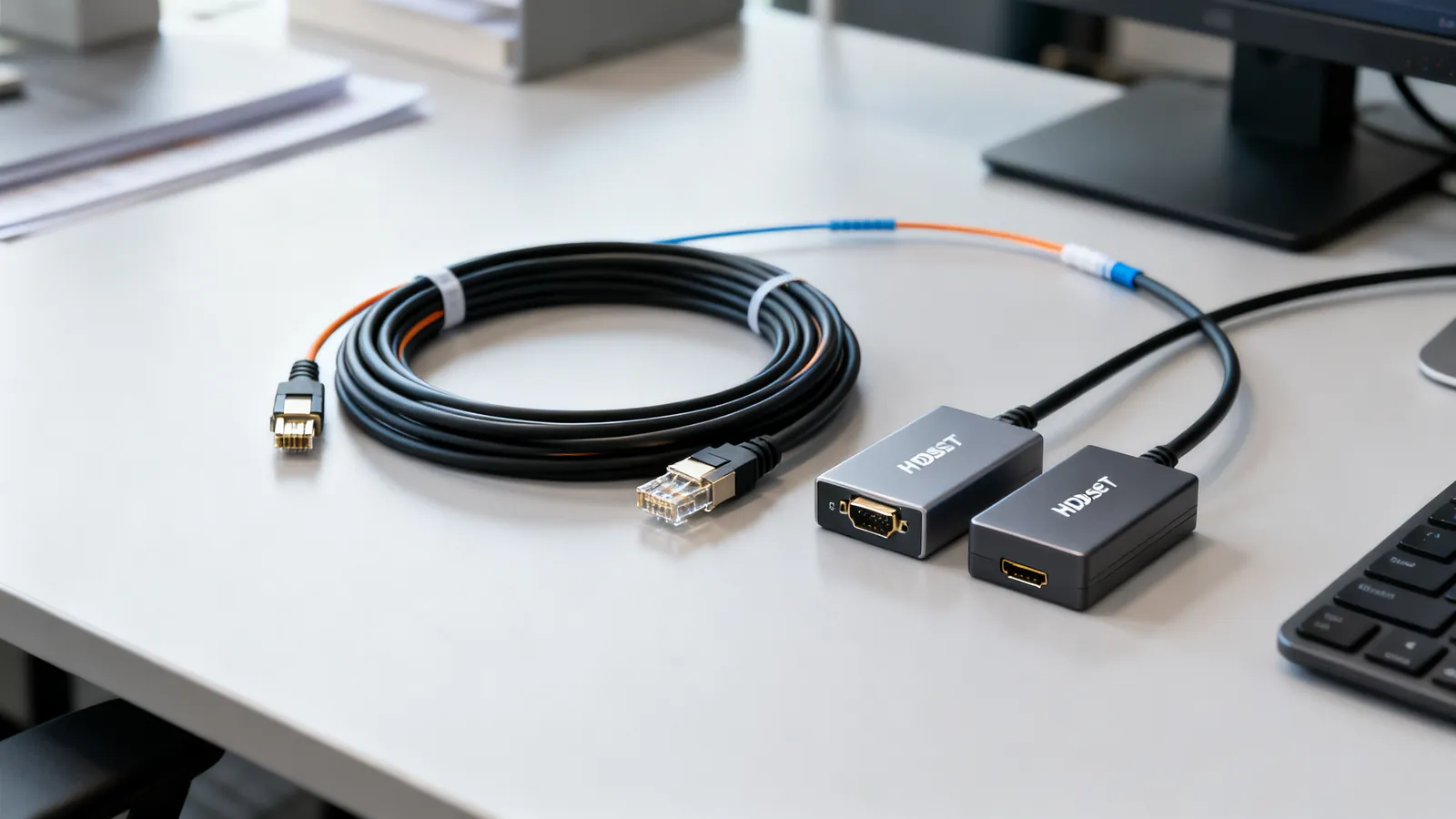
A long HDMI cable run fails for one reason: the signal is a high-frequency serial stream that the copper cable attenuates, and the HDMI link has no error correction or retry. There is no negotiation to fall back to a lower speed. When the eye pattern closes at the receiver, the picture drops out, sparkles, or never appears at all. The fix is not a thicker passive cable; it is an active cable or a different transport. This page sets out what works at what distance, and what does not.
Why passive HDMI copper gives out
HDMI carries its data on four high-speed differential pairs, with a separate low-speed utility line and, in newer versions, an Ethernet channel. The cable is not impedance-matched like a network cable, and the connectors are small. As length rises, attenuation and skew between pairs rise with it. A passive copper cable that works at 1080p may fail at 4K, because the higher resolution needs more bandwidth per second through the same copper.
The speed the cable must carry is set by the source and sink, not by the cable label. HDMI 1.4 runs at 10.2 Gbps and covers 4K at 30 Hz. HDMI 2.0 runs at 18 Gbps and covers 4K at 60 Hz. HDMI 2.1 runs at 48 Gbps and covers 4K at 120 Hz and 8K at 60 Hz. HDMI 2.2, announced in 2025, runs at 96 Gbps and needs the new Ultra96 cables. The full breakdown of what each version carries is in HDMI 1.4, 2.0, 2.1 and 2.2: versions explained.
A passive cable is certified by speed, not by version number. Standard HDMI cable covers 720p and 1080i. High Speed covers 10.2 Gbps. Premium High Speed covers 18 Gbps. Ultra High Speed covers 48 Gbps. Ultra96 covers 96 Gbps. A cable labelled “HDMI 2.1” is mislabelled; the certification is what matters. Premium High Speed and Ultra High Speed cables carry a certification label with a QR code that the official HDMI Cable Certification app verifies. The cable types are compared in HDMI cable types: Standard, High Speed, Premium and Ultra High Speed.
What length does to a passive cable
There is no single maximum length for passive HDMI, because it depends on the source, the sink and the data rate. A short passive cable at 1080p may work at 15 m (about 50 ft) with a strong source; the same cable at 4K at 60 Hz may fail at half that. The practical rule is that passive copper gets less reliable as length and speed rise together. If the run is more than a few metres at 4K, plan for an active cable or an extender rather than hoping a passive cable will hold.
Active copper HDMI cables
An active copper HDMI cable has a signal chip built into one or both ends. The chip equalises and re-drives the signal, so the copper can be longer than a passive cable would allow. Active cables are directional: the “source” end goes to the player, computer or games console, and the “display” end goes to the TV, monitor or projector. Reversing them gives no picture. They are still copper, so they are affected by electrical interference and by ground-potential differences between buildings, but they are cheaper than fiber and work well for runs inside one room or one rack.
Active copper is the usual choice for a run that is longer than a passive cable will carry but still within the same building. It does not need power at the display end, because the chip draws from the HDMI +5 V line.
Fiber HDMI cables
A fiber HDMI cable (often called AOC, active optical cable) converts the HDMI signal to light at the source end, runs it down fiber, and converts it back at the display end. The transceivers are built into the cable, so it is a fixed assembly, not a fiber link you can re-terminate. Fiber carries no electricity, so the cable is immune to electrical interference and to ground-potential differences and lightning surges between buildings. That makes it the right choice for a run between two buildings, or through an electrically noisy plant room.
Fiber HDMI is also directional, with the same source and display ends as active copper. It is thinner and lighter than copper for the same length, which matters when pulling through conduit. It is not repairable in the field: if the fiber breaks, the whole cable is replaced. For a run of tens of metres at 4K, fiber HDMI is usually the simplest single-cable answer.
Fiber HDMI versus active copper
| Type | Carries | Direction | Best for |
|---|---|---|---|
| Passive copper | Up to the certified speed, short runs | Either way | Short runs, 1080p, 4K at 30 Hz |
| Active copper | Certified speed, longer than passive | Source to display | Longer runs in one building |
| Fiber HDMI (AOC) | Certified speed, long runs | Source to display | Between buildings, noisy areas, long 4K runs |
| HDBaseT over category cable | Uncompressed video, audio, Ethernet, control, power | Source to display | Runs up to 100 m (328 ft) using existing cabling |
HDBaseT over category cable
HDBaseT sends uncompressed video, audio, Ethernet, control and power over a single category cable up to 100 m (328 ft). It is a standard, not a brand, and it uses the same category cable that already runs through a building. That makes it the natural choice when the cable is already in the wall, or when the run is longer than a fiber HDMI cable would comfortably reach, or when you also want Ethernet and control down the same cable.
HDBaseT needs a transmitter at the source end and a receiver at the display end. The category cable between them must be a proper copper cable: solid copper for permanent links, stranded for patch cords. Copper-clad aluminium (CCA) does not meet TIA category standards and should not be used. The category choice matters for the speed the link will carry; the differences are set out in Cat5e vs Cat6 vs Cat6a: which one to buy. For HDBaseT, Cat6 or Cat6a is the usual choice, and the 100 m (328 ft) channel limit applies: up to 90 m (295 ft) of permanent link plus up to 10 m (33 ft) of patch and equipment cords.
Extenders that are not HDBaseT
Many low-cost HDMI-over-Ethernet extenders are not HDBaseT. They use their own compression or their own signalling over category cable, and they reach less than 100 m (328 ft). Some compress the video to fit the link, which can show as banding or softness. Some carry only video and stereo audio, not Ethernet or control. If the product does not state HDBaseT, treat the reach and the feature set as unknown and check the specification for the resolution and refresh rate it actually supports.
What goes wrong
- Reversing a directional cable. Active copper and fiber HDMI cables have a source end and a display end. Swapped, they give no picture. The source end goes to the player or computer.
- Assuming a version label means a speed. A cable labelled “HDMI 2.1” may be a High Speed cable. The certification label and QR code are the reliable marker.
- Using a passive cable for a long 4K run. A passive cable that works at 1080p may fail at 4K at 60 Hz. The higher data rate needs more bandwidth than the copper will carry at that length.
- Using CCA category cable for HDBaseT. Copper-clad aluminium has higher resistance, is brittle when flexed, and does not meet TIA category standards. It should never carry power over the link.
- Forgetting the 100 m channel limit. HDBaseT keeps the 100 m (328 ft) Ethernet limit. That is 90 m (295 ft) of permanent link plus 10 m (33 ft) of patch cords, not 100 m of permanent link plus patch cords.
- Expecting ARC or eARC over an extender. ARC returns audio from the TV to a soundbar or receiver. eARC carries uncompressed multichannel PCM and lossless formats such as Dolby TrueHD, DTS-HD Master Audio and Dolby Atmos within them, at up to 37 Mbps. eARC uses the HDMI Ethernet Channel wires, so it needs a High Speed cable with Ethernet or an Ultra High Speed cable. Not every extender passes it.
- Mating the wrong fiber polish. If a fiber HDMI assembly is ever replaced by a discrete fiber link, never mate an APC connector with a UPC one. The faces do not meet and the link fails or the connectors are damaged.
Choosing the right approach
For a run inside one room, a certified passive cable at the speed you need is the simplest answer. For a run that is longer than passive will carry but still inside one building, active copper is the next step. For a long run at 4K, or a run between buildings, fiber HDMI is the clean single-cable answer. For a run where category cable is already in the wall, or where you also want Ethernet and control, HDBaseT over Cat6 or Cat6a is the right choice, within the 100 m (328 ft) channel limit.
Whichever route you take, match the cable to the speed the source and sink will actually negotiate. A 4K at 60 Hz link needs an 18 Gbps cable or an extender that carries 18 Gbps. A 4K at 120 Hz link needs 48 Gbps. The cable is the part of the link that cannot renegotiate, so it has to be right the first time.
Common questions
How long can a passive HDMI cable be?
There is no single maximum, because it depends on the source, the sink and the data rate. A passive cable that works at 1080p may fail at 4K at 60 Hz at the same length. As a rule, passive copper gets less reliable as length and speed rise together, so for a long 4K run use an active cable or an extender.
What is the difference between active and fiber HDMI cables?
Active copper HDMI cables have a signal chip that equalises and re-drives the signal over copper. Fiber HDMI cables convert the signal to light and back, so they are immune to electrical interference and ground-potential differences. Both are directional: the source end goes to the player or computer.
Can I run HDMI over Cat6?
Yes, with an HDBaseT transmitter and receiver. HDBaseT sends uncompressed video, audio, Ethernet, control and power over a single category cable up to 100 m (328 ft). The category cable must be solid or stranded copper, not copper-clad aluminium, and the 100 m channel limit includes patch cords.
Why does my long HDMI cable work at 1080p but not at 4K?
4K at 60 Hz needs 18 Gbps, while 1080p needs much less. The same copper attenuates the higher-frequency signal more, so the receiver cannot recover the data. The cable has no error correction or retry, so the picture drops out or never appears.
Is a 50 ft HDMI cable reliable?
A 50 ft (about 15 m) passive cable may work at 1080p with a strong source, but it is unlikely to be reliable at 4K at 60 Hz. For that length at 4K, use an active copper cable, a fiber HDMI cable, or HDBaseT over category cable.
Sources
Read next
HDMI Cable Types: Standard to Ultra High Speed
HDMI cables are certified by speed, not version. Compare Standard, High Speed, Premium High Speed, Ultra High Speed and Ultra96, and how to verify a label.
HDMI ARC vs eARC: Audio Return Explained
ARC returns stereo and compressed 5.1 over HDMI 1.4; eARC adds uncompressed multichannel PCM and lossless formats like Dolby Atmos. Here is what each needs.
KVM Switch Cables, EDID and USB: A Reference
How a KVM switch works: matching video ports and bandwidth to your monitor, EDID emulation, USB keyboard emulation, and the cables between.
Maximum USB Cable Length: Limits by Version
USB cable length limits by version: USB 2.0 to 5 m, USB 3.x to 3 m, USB-C 40Gbps to 0.8 m. Hubs, active cables and optical extensions explained.
Thunderbolt 3, 4 and 5 vs USB4: Speeds and Cables
Thunderbolt 4 vs USB4 explained: bandwidth, PCIe, displays, charging and cable lengths, plus how Thunderbolt 3 and 5 compare and which cable to buy.