Maximum USB Cable Length: Limits by Version
USB cable length limits by version: USB 2.0 to 5 m, USB 3.x to 3 m, USB-C 40Gbps to 0.8 m. Hubs, active cables and optical extensions explained.
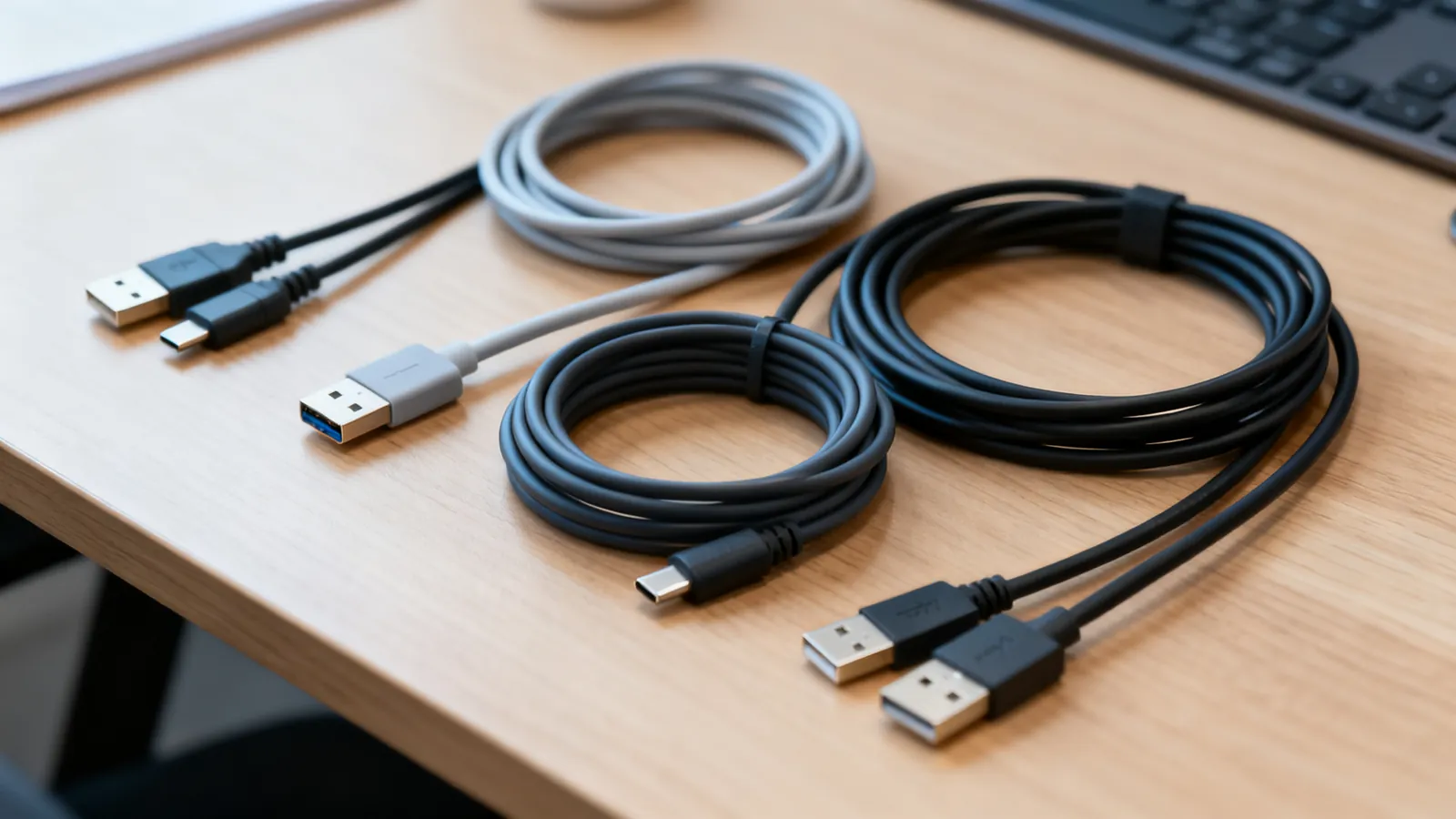
The maximum USB cable length depends on the USB version and the cable type. USB 2.0 allows 5 m (16 ft) per segment, with up to 5 hubs in a chain for 30 m (98 ft) total. USB 3.x passive cables with Type-A or Type-B plugs are commonly sold up to 3 m (10 ft). USB-C cable lengths are set by speed: USB 2.0 up to 4 m (13 ft), USB 5Gbps up to 2 m (6.6 ft), USB 10Gbps up to 1 m (3.3 ft), and passive USB4 40Gbps up to 0.8 m (2.6 ft). Beyond those, active and optical cables extend the run.
USB 2.0: 5 m per segment, 30 m with hubs
USB 2.0 (2000) runs at 480 Mbps (High Speed). The specification allows a cable up to 5 m (16 ft) per segment. With up to 5 hubs in a chain, the total reach is up to 30 m (98 ft). A host controller addresses up to 127 devices.
USB 1.1 runs at 1.5 Mbps (Low Speed) and 12 Mbps (Full Speed); USB 1.0 dates from 1996. The same 5 m segment limit applies.
USB 3.x: 3 m passive, active for longer
USB 3.0 (2008) is also called USB 3.1 Gen 1, USB 3.2 Gen 1 and “USB 5Gbps” — all 5 Gbps. USB 3.1 Gen 2 = USB 3.2 Gen 2 = “USB 10Gbps” at 10 Gbps. USB 3.2 Gen 2x2 = “USB 20Gbps” at 20 Gbps, USB-C only. The naming is tangled; USB 3.0, 3.1, 3.2 and USB4: speeds and names decoded sorts it out.
Passive USB 3.x cables with Type-A or Type-B plugs are commonly sold up to 3 m (10 ft). Active and optical extension cables go further. A USB 3.0 cable length beyond 3 m usually means an active cable with a signal chip inside.
USB-C: length follows speed
The USB Type-C connector (24 pins, reversible, specified 2014) is not a speed. A USB-C cable may be a USB 2.0 cable (480 Mbps) or carry 10, 20, 40 or 80 Gbps. The specification sets cable lengths by speed:
| USB-C cable speed | Maximum length |
|---|---|
| USB 2.0 (480 Mbps) | 4 m (13 ft) |
| USB 5Gbps | 2 m (6.6 ft) |
| USB 10Gbps | 1 m (3.3 ft) |
| Passive USB4 40Gbps | 0.8 m (2.6 ft) |
USB4 (2019) runs at 20 Gbps or 40 Gbps. USB4 Version 2.0 (2022) runs at 80 Gbps, or 120 Gbps in one direction. USB-IF now labels products by speed: USB 5Gbps, USB 10Gbps, USB 20Gbps, USB 40Gbps, USB 80Gbps.
USB-C cables are not interchangeable. A cable that charges a phone may be a USB 2.0 cable that cannot carry 10 Gbps. Why USB-C cables are not all the same explains what to check.
Hubs in a chain
A hub extends reach by acting as a repeater. USB 2.0 allows up to 5 hubs in a chain, for 30 m (98 ft) total. An unpowered (bus-powered) hub shares the host port’s power among its devices; a powered hub has its own adapter. A dock adds video outputs, Ethernet and charging through one cable, usually over USB-C or Thunderbolt. USB hubs and docks: powered vs unpowered, and what a dock adds covers the differences.
Active and optical cables
An active USB cable contains a signal chip that boosts the data. An optical cable uses fiber for the data run. Both extend the distance beyond the passive limits. Active cables are directional: the “source” end goes to the host. Optical cables are also directional and usually need no separate power.
Power over USB
A USB 2.0 port supplies 500 mA at 5 V (2.5 W); USB 3.x supplies 900 mA (4.5 W); USB Battery Charging 1.2 up to 1.5 A (7.5 W). USB-C at 5 V: 1.5 A (7.5 W) or 3 A (15 W).
USB Power Delivery: Standard Power Range up to 100 W (20 V at 5 A), fixed voltages 5 V, 9 V, 15 V and 20 V. PD 3.1 (2021) Extended Power Range up to 240 W (48 V at 5 A), adding 28 V, 36 V and 48 V.
Every USB-C to USB-C cable must carry 3 A, so 60 W at 20 V. Currents above 3 A need a 5 A cable with an e-marker chip: 100 W cables, and 240 W EPR cables.
Thunderbolt 3 (2015): 40 Gbps over USB-C; up to 15 W for bus-powered devices. Thunderbolt 4 (2020): 40 Gbps; PCIe at 32 Gbps; two 4K displays or one 8K; laptop charging up to 100 W on at least one port; universal passive 40 Gbps cables up to 2 m (6.6 ft). Thunderbolt 5 (2023): 80 Gbps both ways, up to 120 Gbps in one direction for displays; PCIe at 64 Gbps; charging up to 240 W. Thunderbolt 4 and 5 cables also work as USB-C cables for data and charging.
What goes wrong
- Passive cables beyond the limit. A passive USB 3.x cable longer than 3 m may not enumerate or may drop to USB 2.0 speed. A passive USB-C 40Gbps cable longer than 0.8 m may not carry 40 Gbps.
- Wrong cable for the speed. A USB-C cable rated for USB 2.0 will not carry 10 Gbps, no matter how short.
- Unpowered hubs. A bus-powered hub shares the host port’s power; a high-drain device may not work. Use a powered hub for multiple devices.
- Directional active cables. Active and optical cables have a source end and a device end. Reversing them means the link fails.
- Counterfeit chips. USB-to-serial adapters contain a converter chip that needs the right driver; counterfeit chips can be blocked by the genuine maker’s drivers. Adapters with TTL output are not RS-232.
- Lightning vs USB-C. Apple’s 8-pin Lightning connector (2012) is not USB-C. iPhone 15 (2023) moved to USB-C; the standard iPhone 15 models transfer at USB 2.0 speed (480 Mbps), the Pro models at 10 Gbps.
- EU common charger rule. Phones, tablets, cameras, headphones and similar devices sold in the EU from 28 December 2024 must charge over USB-C; laptops from 28 April 2026.
Choosing the right length
For a keyboard or mouse, a USB 2.0 cable up to 5 m (16 ft) is fine. For a USB 3.x hard drive or SSD, keep the passive cable to 3 m (10 ft) or use an active cable. For a USB-C display or dock, use the shortest cable that reaches and check the speed rating. For runs beyond the passive limits, use an active or optical cable, or a powered hub in the chain.
FireWire (IEEE 1394, 1995) ran at 400 Mbps (FireWire 400) or 800 Mbps (FireWire 800) and is discontinued on new computers. It is not USB.
Common questions
What is the maximum length of a USB cable?
USB 2.0 allows 5 m (16 ft) per segment, with up to 5 hubs in a chain for 30 m (98 ft) total. USB 3.x passive cables with Type-A or Type-B plugs are commonly sold up to 3 m (10 ft). USB-C cable lengths are set by speed: USB 2.0 up to 4 m (13 ft), USB 5Gbps up to 2 m (6.6 ft), USB 10Gbps up to 1 m (3.3 ft), and passive USB4 40Gbps up to 0.8 m (2.6 ft).
How long can a USB 3.0 cable be?
Passive USB 3.0 cables with Type-A or Type-B plugs are commonly sold up to 3 m (10 ft). For longer runs, use an active USB cable or an optical cable. A passive cable beyond 3 m may not enumerate or may drop to USB 2.0 speed.
What is the maximum length for a USB-C cable?
The USB Type-C specification sets lengths by speed: USB 2.0 up to 4 m (13 ft), USB 5Gbps up to 2 m (6.6 ft), USB 10Gbps up to 1 m (3.3 ft), and passive USB4 40Gbps up to 0.8 m (2.6 ft). Active and optical cables go further. Always check the speed rating of the cable, not just the connector.
Can I use a USB extension cable?
Yes, but the total length must stay within the limits for the USB version. A passive extension adds to the cable length and may push the run beyond the limit. For longer runs, use an active USB extension cable or an optical cable. A powered hub can also extend the chain.
How many USB hubs can I chain?
USB 2.0 allows up to 5 hubs in a chain, for a total of 30 m (98 ft). Each hub acts as a repeater. A host controller addresses up to 127 devices. For USB 3.x, the same hub limit applies, but passive cable lengths are shorter.
Sources
Read next
Lightning to USB-C: Cables, Adapters and Speeds
Lightning vs USB-C explained: why iPhone moved to USB-C, the EU common charger dates, iPhone 15 transfer speeds, and which adapters work with older gear.
USB-C Cable Types: Data, Power and Video
Not all USB-C cables are equal. Learn how to tell a charging cable from a data cable, what an e-marker does, and which cable your monitor needs.
VGA and DVI Today: Connecting Older Monitors
VGA is analogue, DVI can be digital or analogue. Learn which adapters work passively, dual-link DVI limits, and how to connect an old monitor today.
HDMI 1.4, 2.0, 2.1 and 2.2: Versions and Cable Speeds
HDMI 1.4, 2.0, 2.1 and 2.2 compared: bandwidth, resolutions, refresh rates, eARC and VRR. Learn why cables are rated by speed, not version.
DisplayPort 1.2, 1.4 and 2.1: Versions and Cables
DisplayPort 1.2, 1.4 and 2.1 compared: bandwidth, DSC, MST, DP40 and DP80 cable certification, and DisplayPort over USB-C.