Lightning to USB-C: Cables, Adapters and Speeds
Lightning vs USB-C explained: why iPhone moved to USB-C, the EU common charger dates, iPhone 15 transfer speeds, and which adapters work with older gear.
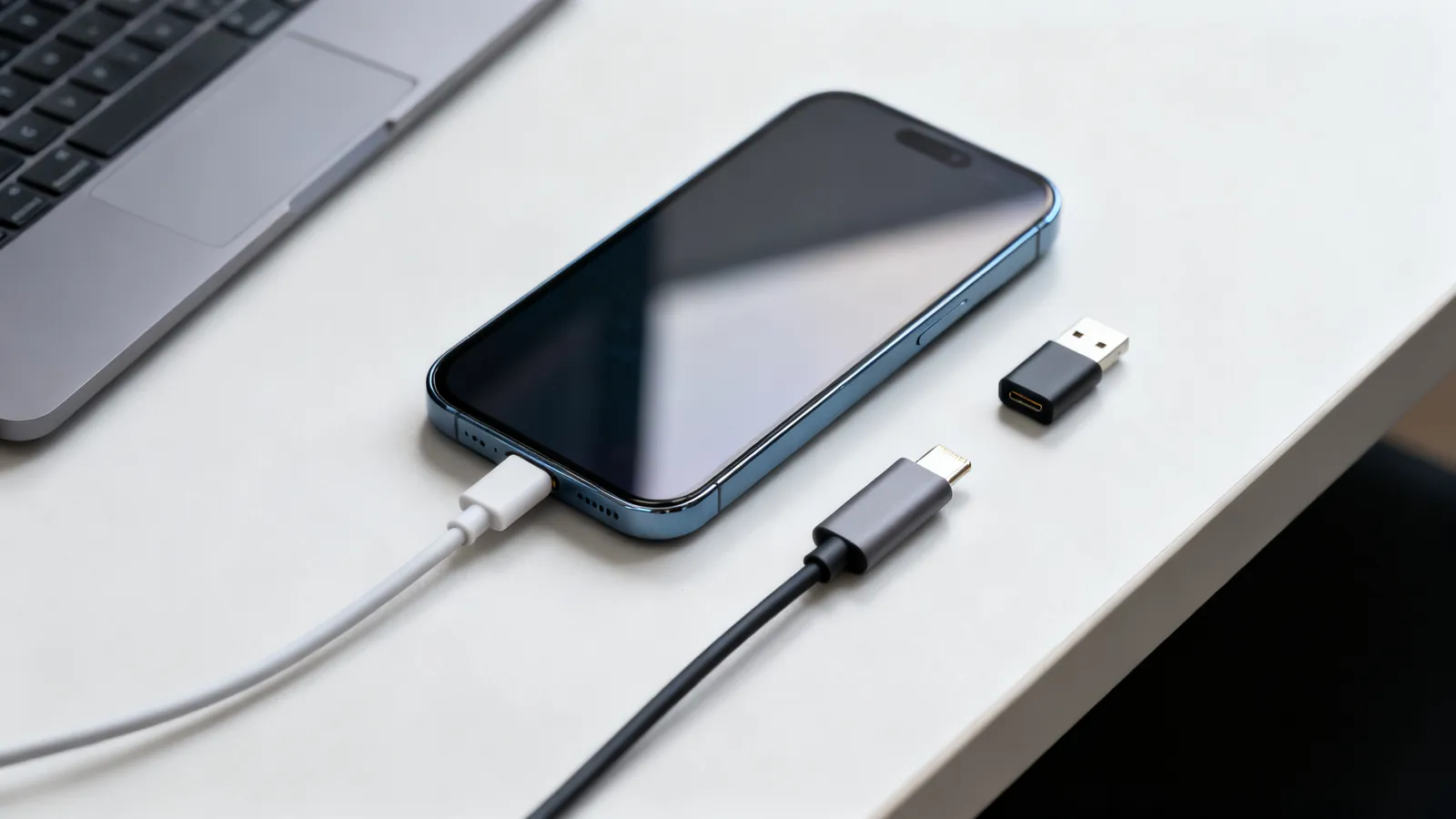
Apple’s iPhone moved from the 8-pin Lightning connector to USB-C with the iPhone 15 in 2023. USB-C is a 24-pin reversible connector specified in 2014; it is not a speed, and a USB-C cable may be a USB 2.0 cable (480 Mbps) or carry 10, 20, 40 or 80 Gbps. Lightning, introduced in 2012, is Apple’s own 8-pin reversible connector. The two are not electrically compatible, so moving between them needs either a cable with the right plug on each end or an adapter.
Why Apple moved to USB-C
The change was driven by the EU common charger rule (Directive 2022/2380). Phones, tablets, cameras, headphones and similar devices sold in the EU from 28 December 2024 must charge over USB-C; laptops from 28 April 2026. Apple had already put USB-C on iPad and Mac. The iPhone was the last major product on Lightning, and the rule set the date.
USB-C also carries more than Lightning ever did. Lightning was designed for charging and USB 2.0 data. USB-C carries USB Power Delivery, DisplayPort Alt Mode, Thunderbolt and USB4, and it is the connector used by every current phone and laptop maker.
iPhone USB-C speeds: not all models are equal
The connector is the same, but the data rate behind it is not. On the iPhone 15, the standard models transfer at USB 2.0 speed (480 Mbps), and the Pro models at 10 Gbps. That difference matters when copying video or large photo libraries. Charging is unaffected by the data rate: both use USB-C and USB Power Delivery.
| iPhone 15 model | Connector | Data speed |
|---|---|---|
| Standard | USB-C | 480 Mbps (USB 2.0) |
| Pro | USB-C | 10 Gbps |
For charging, a USB-C to USB-C cable must carry 3 A, so 60 W at 20 V. Currents above 3 A need a 5 A cable with an e-marker chip: 100 W cables, and 240 W EPR cables. The phone will only draw what it negotiates, so a higher-rated cable is safe but not automatically faster. The details of which cable does what are on USB-C charging: 60 W, 100 W and 240 W cables explained.
Lightning to USB-C adapter: what it can and cannot do
A Lightning to USB-C adapter lets a Lightning accessory connect to a USB-C port, or a USB-C cable charge a Lightning device. The common types are:
- USB-C to Lightning cable: a cable with USB-C at one end and Lightning at the other. This is what charges a Lightning iPhone from a USB-C charger or a Mac.
- Lightning to USB-C adapter: a small adapter that turns a Lightning plug into a USB-C plug, usually for audio or data accessories.
- USB-C to Lightning adapter: the reverse, for using a USB-C cable with a Lightning device.
What an adapter cannot do is change the protocol. A Lightning port speaks USB 2.0 data and Apple’s charging handshake. An adapter passes that through; it does not add 10 Gbps or DisplayPort. If the accessory needs USB 3.x speeds or video output, the adapter will not provide it.
Which cable for which device
The practical rule is to match the cable to the port on each end, then check the speed and power rating.
| Situation | Cable or adapter |
|---|---|
| Charge a Lightning iPhone from a USB-C charger | USB-C to Lightning cable |
| Charge a USB-C iPhone from a USB-C charger | USB-C to USB-C cable, 3 A minimum |
| Use a Lightning headset with a USB-C phone | Lightning to USB-C adapter |
| Copy files from a USB-C iPhone Pro at full speed | USB-C to USB-C cable rated for 10 Gbps or more |
| Connect a Lightning device to a Mac with USB-C | USB-C to Lightning cable |
Not every USB-C cable is built for data. Many are charging-only, and some are USB 2.0. The differences are set out in Why USB-C cables are not all the same. For a 10 Gbps iPhone Pro transfer, the cable must be rated for that speed; a charge-only cable will fall back to USB 2.0 or not carry data at all.
The EU rule and what it changes
The EU common charger rule applies to devices sold in the EU from 28 December 2024, with laptops from 28 April 2026. It requires a USB-C charging port on the listed device classes. It does not ban Lightning accessories, and it does not require every cable in a drawer to be replaced. It applies to new devices placed on the EU market after the date.
For anyone buying equipment now, the effect is simple: USB-C is the charging port to expect on phones, tablets and similar devices. Lightning remains in use on older iPhones and on accessories that were built for it, and those still work with the right cable or adapter.
What goes wrong
- A charge-only USB-C cable will not carry data. If a phone or drive is not seen by the computer, try a cable rated for data.
- A USB-C cable rated for 480 Mbps will not transfer at 10 Gbps, even on a Pro iPhone. The cable sets the ceiling.
- Adapters do not upgrade the protocol. A Lightning to USB-C adapter still runs at USB 2.0 speed and does not carry video.
- Cheap USB-C cables may lack the e-marker chip needed above 3 A. The device will charge more slowly or not at all.
- Lightning and USB-C plugs are not interchangeable. Forcing one into the other damages the port.
- A USB-C port on a phone is not automatically a video output. DisplayPort Alt Mode must be supported by the device.
- USB4 and Thunderbolt cables work as USB-C cables for data and charging, but a plain USB-C cable does not become a Thunderbolt cable.
Choosing for older equipment
For a Lightning iPhone, the useful purchases are a USB-C to Lightning cable for charging from a modern charger, and a Lightning to USB-C adapter for accessories. For a USB-C iPhone, a USB-C to USB-C cable rated for the speed and power needed is enough. If the same cable must charge a laptop, look for a 5 A e-marker cable rated for 100 W or 240 W.
Lightning is not gone; it is simply no longer the connector on new iPhones. The cables and adapters for it remain available, and they work as they always did. The change is in which plug is on the phone, and in the speeds and power that USB-C makes possible.
Common questions
Is Lightning faster than USB-C?
No. Lightning was designed for USB 2.0 data (480 Mbps) and charging. USB-C carries USB 2.0, 5 Gbps, 10 Gbps, 20 Gbps, 40 Gbps or 80 Gbps depending on the cable and device. On the iPhone 15, the standard models run at 480 Mbps and the Pro models at 10 Gbps.
Can I use a Lightning cable with a USB-C iPhone?
No. The plugs are different and not interchangeable. A USB-C iPhone needs a USB-C cable; a Lightning iPhone needs a Lightning cable or a USB-C to Lightning cable. An adapter can convert one plug to the other, but it does not change the data speed.
What is the EU USB-C law and when does it apply?
Directive 2022/2380 requires phones, tablets, cameras, headphones and similar devices sold in the EU from 28 December 2024 to charge over USB-C. Laptops must comply from 28 April 2026. It applies to new devices placed on the EU market after those dates.
Does a Lightning to USB-C adapter support fast charging?
It passes through whatever the device and charger negotiate. The adapter itself does not add power. For charging above 3 A, the USB-C cable must have an e-marker chip; a 5 A cable supports 100 W, and a 240 W EPR cable supports the higher range.
Why is my USB-C iPhone transferring slowly?
The cable is the usual cause. A charge-only or USB 2.0 cable caps the link at 480 Mbps. For 10 Gbps on a Pro model, use a cable rated for 10 Gbps or more. The port on the phone also sets the ceiling: standard iPhone 15 models are 480 Mbps.
Sources
Read next
USB-C Cable Types: Data, Power and Video
Not all USB-C cables are equal. Learn how to tell a charging cable from a data cable, what an e-marker does, and which cable your monitor needs.
USB 3.0, 3.1, 3.2 and USB4 Speeds and Names Decoded
USB 3.0, 3.1, 3.2 and USB4 naming decoded: exact speeds, cable lengths, power limits, and what a drive or dock really needs.
Thunderbolt 3, 4 and 5 vs USB4: Speeds and Cables
Thunderbolt 4 vs USB4 explained: bandwidth, PCIe, displays, charging and cable lengths, plus how Thunderbolt 3 and 5 compare and which cable to buy.
HDMI 1.4, 2.0, 2.1 and 2.2: Versions and Cable Speeds
HDMI 1.4, 2.0, 2.1 and 2.2 compared: bandwidth, resolutions, refresh rates, eARC and VRR. Learn why cables are rated by speed, not version.
HDMI Cable Types: Standard to Ultra High Speed
HDMI cables are certified by speed, not version. Compare Standard, High Speed, Premium High Speed, Ultra High Speed and Ultra96, and how to verify a label.