Crossover vs Straight-Through Ethernet Cables
Crossover or straight-through? How T568A and T568B pinouts decide it, why Auto-MDI-X made crossovers rare, and when a rollover console cable is still needed.
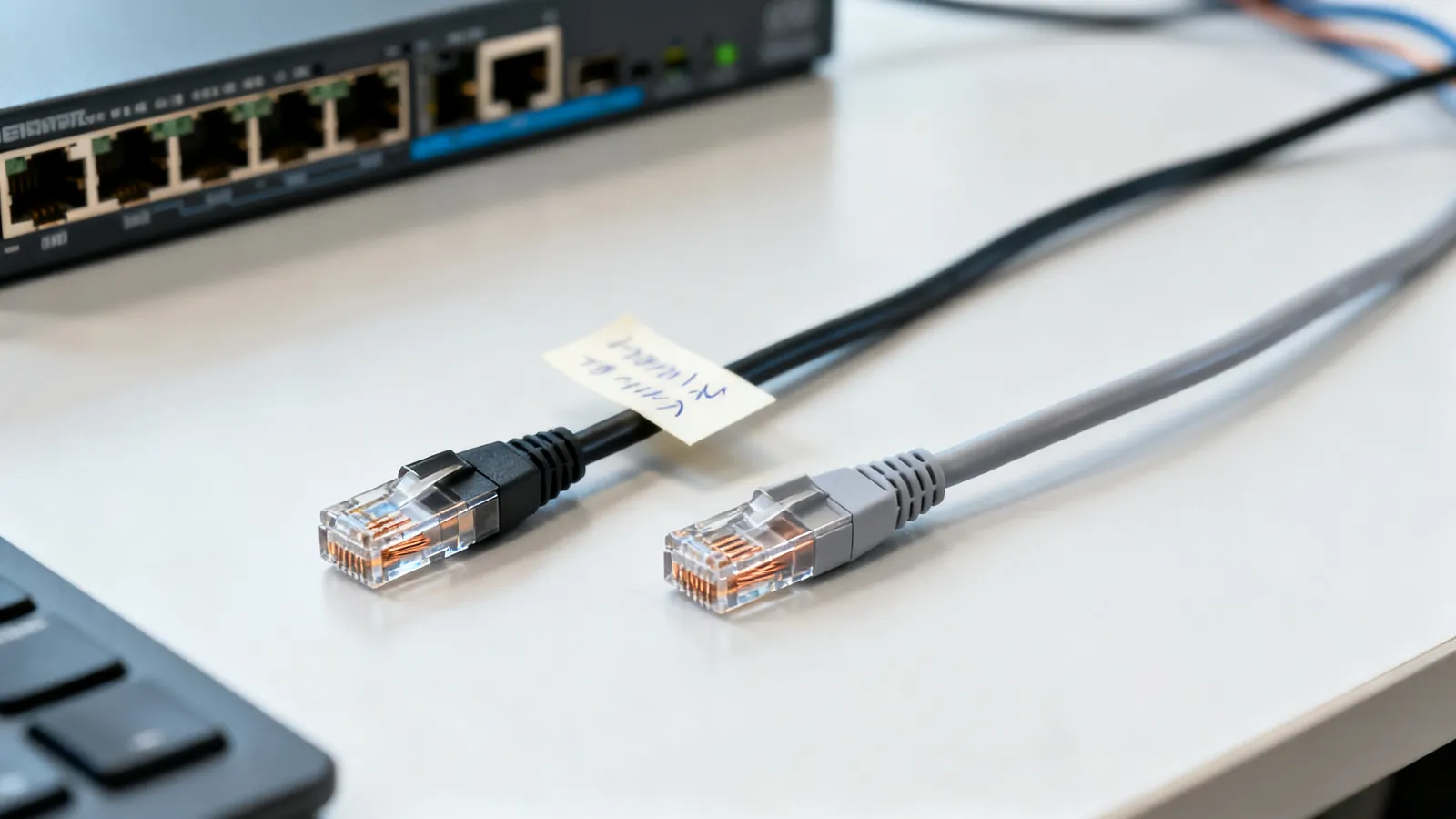
A straight-through cable is the normal Ethernet patch cord: the same pin order at both ends, used for every modern link between a computer, switch, router or access point. A crossover cable is wired T568A at one end and T568B at the other, so the transmit pair at one end lands on the receive pair at the other. It was once required to join two computers directly or to link two switches. Auto-MDI-X, built into almost every Gigabit and faster port, detects the pair layout and swaps it electronically, so a straight-through cable now works in those situations. The crossover cable that still matters is not an Ethernet crossover at all: it is the rollover console cable used to reach the management port on switches, routers and firewalls.
What each cable actually is
Ethernet uses four twisted pairs, and 10BASE-T and 100BASE-TX use only two of them: pins 1, 2, 3 and 6. One pair transmits, one pair receives. Which pair sits on which pin is set by the wiring scheme at the plug.
| Cable | End A | End B | Used for |
|---|---|---|---|
| Straight-through | T568A or T568B | Same scheme as end A | Host to switch, switch to router, patch panel to switch |
| Crossover | T568A | T568B | Host to host, switch to switch, on ports without Auto-MDI-X |
| Rollover (console) | Any | All eight pins reversed | Cisco-style console port with an RJ45-to-DB9 adapter |
T568A and T568B differ only in swapping the orange and green pairs. Both work identically; the rule is to use one scheme at both ends of every cable in a building. TIA-568 names T568A as the preferred scheme, and it is required on US federal government work, while T568B is widely used in US commercial installations. The full colour order for each is set out in T568A vs T568B: Ethernet wiring colour order.
A crossover cable is simply T568A at one end and T568B at the other. That swaps the orange and green pairs, which is exactly the transmit-to-receive swap the old rule required. 1000BASE-T and faster use all four pairs and negotiate the pair assignment themselves, which is why the crossover stopped being a routine part of a toolkit.
Why Auto-MDI-X made crossovers rare
Auto-MDI-X is the feature that detects whether a link needs a straight or crossed pair layout and swaps the pairs electronically. Almost every Gigabit and faster port has it. Plug a straight-through cable between two laptops, or between two unmanaged switches, and the link comes up.
That does not make every crossover cable useless. A port without Auto-MDI-X still needs the correct wiring. Equipment from the 10BASE-T and 100BASE-TX era, some older switches and hubs, and a few fixed-configuration devices may not negotiate. If a link between two like devices will not come up with a straight-through cable, a crossover is the first thing to try.
Do I need a crossover cable?
For a normal connection between a computer and a switch, router or wall port: no. Use a straight-through patch cord. For two computers joined directly, or two switches joined without an uplink port: usually no, because Auto-MDI-X handles it. Keep one crossover cable for old equipment, and do not use it where a straight-through cable is expected, because a port without Auto-MDI-X will not link.
The rollover cable: the console cable that still matters
A rollover cable reverses all eight pins end to end: pin 1 to pin 8, pin 2 to pin 7, and so on. It is not an Ethernet cable and will not carry a network link. Its job is the console port on switches, routers and firewalls, where it carries a serial management session.
Cisco-style console ports use a rollover cable with an RJ45-to-DB9 adapter. Many newer devices have a USB console port instead, which needs a USB-to-serial adapter and the right driver rather than a rollover cable. The serial side of that link is RS-232, and the pin functions are listed in RS-232 serial pinouts: DB9 and DB25.
A rollover cable is not the same as a null modem cable. A null modem cable joins two DTEs and crosses transmit and receive, plus the handshake lines, on a serial connector. A rollover cable reverses the pins on an RJ45 plug for a console port. The differences are covered in Null modem cables and adapters.
Pinouts at a glance
The pin order below is what a tester checks. A straight-through cable reads 1-1, 2-2, 3-3 and so on. A crossover reads 1-3, 2-6, 3-1, 6-2 for the two data pairs, with the other pairs carried straight through in a full four-pair crossover.
| Pin | T568A | T568B |
|---|---|---|
| 1 | white/green | white/orange |
| 2 | green | orange |
| 3 | white/orange | white/green |
| 4 | blue | blue |
| 5 | white/blue | white/blue |
| 6 | orange | green |
| 7 | white/brown | white/brown |
| 8 | brown | brown |
A crossover cable made to this table swaps the orange and green pairs. A rollover cable does not follow either scheme: it reverses the whole sequence, so pin 1 meets pin 8 at the far end.
What goes wrong
- A crossover cable in a modern link. It usually works, because Auto-MDI-X corrects it. On a port without Auto-MDI-X it fails to link, and the fault looks like a dead port or a bad device.
- A straight-through cable where a crossover is needed. The same symptom in reverse: no link, no activity light, no explanation from the device.
- A rollover cable used as an Ethernet patch cord. It will not carry a network link at all. It belongs on a console port.
- Split pairs. A cable wired with the wrong conductors on a pair passes a simple continuity test but fails at speed. A wiremap tester finds opens, shorts and reversed pairs; split pairs need a tester that measures crosstalk.
- Copper-clad aluminium conductors. CCA does not meet TIA category standards: higher resistance, brittle when flexed, and more heat under PoE. Category cable is solid or stranded copper.
- Untwisted pairs at the termination. TIA-568 allows no more than 13 mm (0.5 in) of pair untwist at a termination for Cat5e and higher. More than that degrades the link.
- A cable that is too long. The 100 m (328 ft) channel limit applies to every speed from 10 Mbps to 10 Gbps on the matching category: up to 90 m (295 ft) of permanent link plus up to 10 m (33 ft) of patch and equipment cords. No pinout fixes a run beyond that.
- Wrong category for the speed. Cat5e carries 1000BASE-T to 100 m and 2.5GBASE-T to 100 m. Cat6 carries 10GBASE-T up to 55 m (180 ft), and as little as 37 m (121 ft) where many cables run bundled together. Cat6a carries 10 Gbps to the full 100 m.
Testing a suspect cable
A continuity or wiremap tester answers the crossover question in seconds: it shows whether the pairs run straight through or cross, and whether any pair is open, shorted or reversed. Qualification testers check whether a link carries a given speed. Certification testers measure the link against the TIA category limits, which is the only way to prove a link meets Cat6 or Cat6a. A TDR shows the distance to a fault.
Choosing the right cable
For new work, buy factory-made straight-through patch cords in the category that matches the link speed, and use one wiring scheme throughout the building. TIA recommends factory-made patch cords because the plugs and the crimp are controlled. If a crossover is needed for old equipment, make or buy one clearly labelled as a crossover, and keep it separate from the patch drawer.
For console work, keep a rollover cable with the right adapter for the equipment in use, and check whether the device has an RJ45 console port or a USB one. For serial links between two computers or two pieces of legacy gear, the null modem cable is the correct part, not a crossover.
Conductors matter as much as pinout. Horizontal runs use solid copper, punched into jacks and panels; patch cords use stranded copper so they flex. Cat5e is commonly 24 AWG, Cat6 23 or 24 AWG, Cat6a 23 AWG, and patch cords run 24 to 26 AWG, with slim patch cords at 28 AWG. Shielded systems need shielded jacks, plugs and patch panels, grounded through the equipment; a shield that is broken or not grounded gives no benefit and can pick up noise.
Where a cable runs near mains power, the NEC asks for at least 50 mm (2 in) of separation unless a barrier separates them, and power cables should be crossed at a right angle. Mains wiring itself is a job for a licensed electrician.
Common questions
Do I need a crossover cable to connect two computers?
Usually not. Almost every Gigabit and faster port has Auto-MDI-X, which detects the pair layout and swaps it electronically, so a straight-through cable works. A crossover is only needed if one of the ports lacks Auto-MDI-X, which is typical of older 10BASE-T and 100BASE-TX equipment.
What is the Ethernet crossover pinout?
A crossover cable is wired T568A at one end and T568B at the other. That swaps the orange and green pairs, so pins 1 and 2 at one end land on pins 3 and 6 at the other, and pins 3 and 6 land on 1 and 2. The other pairs run straight through.
Is a rollover cable the same as a crossover cable?
No. A rollover cable reverses all eight pins end to end, pin 1 to pin 8 and pin 2 to pin 7, and carries a serial console session, not an Ethernet link. A crossover cable swaps the transmit and receive pairs so an Ethernet link can form between two like devices.
What is a console cable used for?
A console cable connects a computer to the management port on a switch, router or firewall so the device can be configured before it has an IP address. Cisco-style console ports use a rollover cable with an RJ45-to-DB9 adapter, and many newer devices use a USB console port instead.
Will a crossover cable work on a Gigabit switch?
It usually will, because Auto-MDI-X corrects the pair layout on Gigabit and faster ports. It will not work on a port without Auto-MDI-X, where the link simply fails to come up. If a link will not establish, try a straight-through cable before assuming the port is faulty.
Read next
Ethernet Cable Categories: Cat5e to Cat8
Ethernet cable categories compared: Cat5e, Cat6, Cat6a, Cat7 and Cat8 rated frequency, speed and distance, plus which to buy for home, office and 10 Gbps.
How to Crimp an RJ45 Connector Step by Step
Step-by-step RJ45 crimping: the right plug for solid or stranded cable, T568A or T568B pinout, the 13 mm untwist limit, testing, and why a cable fails.
Cat7 and Cat8 Cables: What They Are and Who Needs Them
Cat7 is ISO-only with GG45 or TERA connectors; Cat8 is a 30 m data-centre cable. Learn what each standard says and what to buy for home or office.
Fiber vs Copper Ethernet: When Fiber Makes Sense
Fiber vs copper Ethernet compared: distance, interference, lightning between buildings, speed headroom, and the handling trade-offs against Cat6 and Cat6a.
Fiber Optic Cable Types: Singlemode and Multimode
Singlemode and multimode fiber compared: OS2, OM1 to OM5, jacket colours, reach at 1G, 10G, 40G and 100G, and how to choose for a building or campus.