T568A vs T568B: Ethernet Wiring Colour Order
T568A and T568B differ only in the orange and green pairs. See both pinouts, which standard to use, and why mixing them makes a crossover cable.
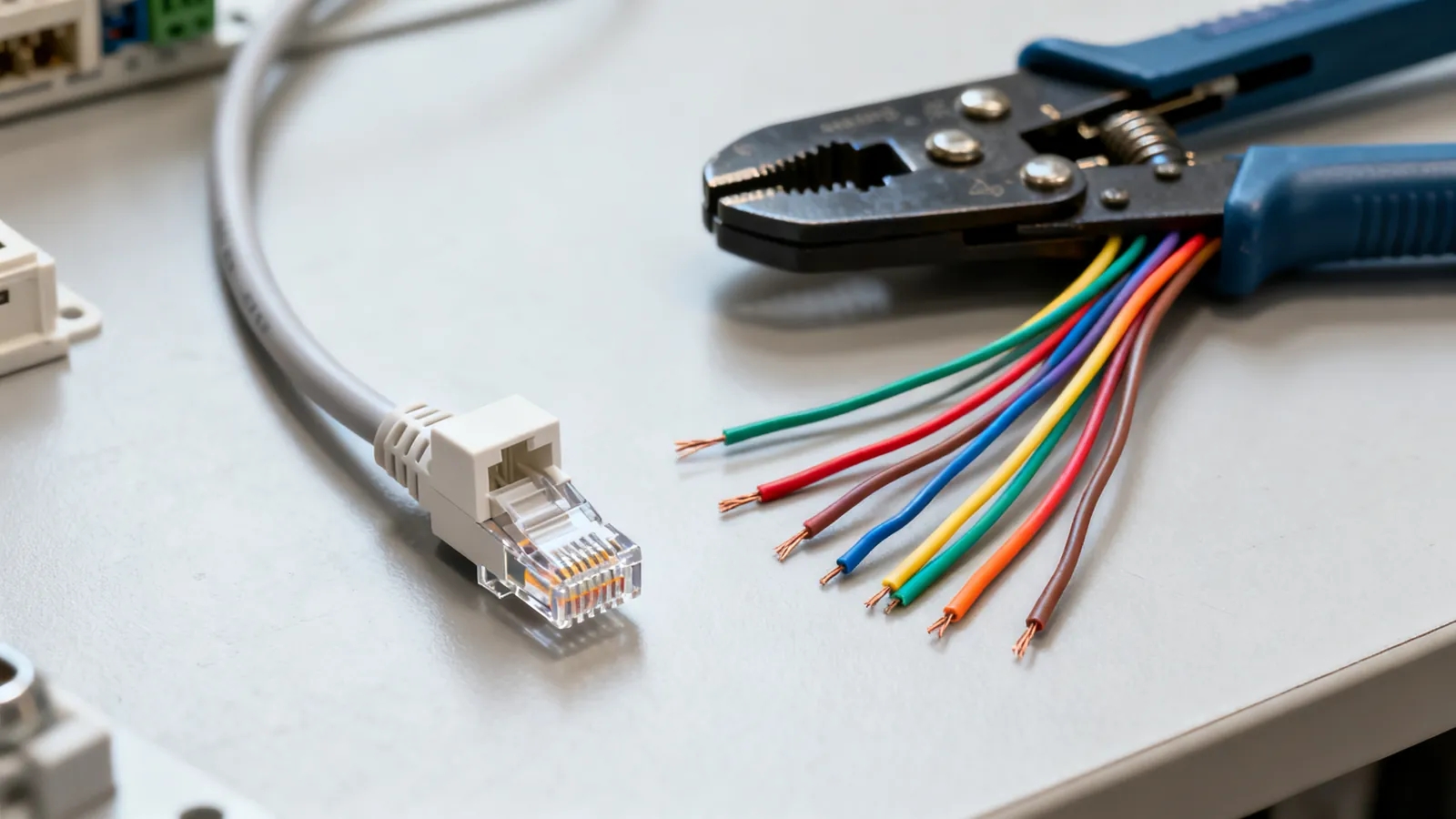
T568A and T568B are the two pin orders defined by the TIA-568 standard for terminating 8P8C modular plugs and jacks. They differ in exactly one thing: the orange and green pairs swap positions. Both work identically for Ethernet. The choice is about consistency, not performance.
The two pin orders side by side
The table below is the complete RJ45 colour code for both schemes. Pin numbers run left to right with the clip facing away from you.
| Pin | T568A | T568B |
|---|---|---|
| 1 | white/green | white/orange |
| 2 | green | orange |
| 3 | white/orange | white/green |
| 4 | blue | blue |
| 5 | white/blue | white/blue |
| 6 | orange | green |
| 7 | white/brown | white/brown |
| 8 | brown | brown |
Pins 4, 5, 7 and 8 are identical in both. The only difference is that T568A puts the green pair on pins 1 and 2 and the orange pair on pins 3 and 6, while T568B does the opposite. That is the whole story.
Which pairs carry data
10BASE-T and 100BASE-TX use only pins 1, 2, 3 and 6 - two pairs. 1000BASE-T and faster use all four pairs. This matters when you are troubleshooting: a cable with a fault on the blue pair will still run 100 Mbps but will not run 1 Gbps.
Which wiring standard to use
TIA-568 names T568A as the preferred scheme, and it is required on US federal government work. T568B is widely used in US commercial installations. Either is correct. The rule that actually matters is this: use one scheme at both ends of every cable in a building.
If you are adding to an existing installation, match what is already there. Pull a wall plate and look at the jack, or check the patch panel. If you cannot tell, T568B is the safer default in most US commercial work; T568A is common in residential and government jobs.
What happens if you mix them
A cable wired T568A at one end and T568B at the other is a crossover cable. The transmit pair at one end lands on the receive pair at the other. On 10BASE-T and 100BASE-TX this was sometimes useful. On Gigabit and faster, Auto-MDI-X detects the swap and corrects it electronically, so a crossover cable usually works anyway. Almost every Gigabit and faster port has Auto-MDI-X. Crossover cables are rarely needed today, but a miswired cable in a wall is still a miswired cable - it will confuse a wiremap tester and may fail certification.
For more on when crossover cables matter and when they do not, see crossover vs straight-through cables.
How the pinout maps to a real termination
When you look at an RJ45 jack from the front, the pins are numbered 1 to 8 from left to right with the clip at the bottom. On a plug, the same numbering applies with the clip facing away from you. The colour code above is what you follow when punching down a keystone jack or crimping a plug.
A common mistake is to follow the colours on the jack label without checking which scheme the label uses. Most jacks have both A and B colour codes printed on them. Pick one and stay with it.
For a step-by-step on terminating plugs, see how to crimp an RJ45 connector.
Solid vs stranded conductors
Horizontal cable in a wall is solid copper, punched into jacks and panels. Patch cords are stranded copper so they flex. The two need different plugs: plugs for solid conductors and plugs for stranded conductors use different contacts. Using the wrong plug gives an unreliable connection. TIA recommends factory-made patch cords for this reason.
Pair untwist and bend radius
At a termination, keep the pair untwist to no more than 13 mm (0.5 in) for Cat5e and higher. More than that and the cable will not meet its category. The installed bend radius for 4-pair UTP is at least 4 times the cable’s outside diameter. Maximum pulling tension is 25 lbf (110 N).
Which category goes with which pinout
The pinout is independent of the category. T568A and T568B apply to Cat5e, Cat6, Cat6a and Cat8.1 alike. What changes with category is the cable construction, the rated frequency and the reach at a given speed.
| Category | Rated to | 1 Gbps | 10 Gbps |
|---|---|---|---|
| Cat5e | 100 MHz | 100 m (328 ft) | Not specified |
| Cat6 | 250 MHz | 100 m (328 ft) | 55 m (180 ft), as little as 37 m (121 ft) bundled |
| Cat6a | 500 MHz | 100 m (328 ft) | 100 m (328 ft) |
| Cat8 | 2000 MHz | 100 m (328 ft) | 30 m (98 ft) channel for 25G/40G |
The 100 m channel limit is up to 90 m (295 ft) of permanent link plus up to 10 m (33 ft) of patch and equipment cords. That limit applies to every speed from 10 Mbps to 10 Gbps on the matching category.
Cat7 and Cat7A are ISO/IEC classes, not TIA categories. Cat7 is rated to 600 MHz and Cat7A to 1000 MHz, but their standard connectors are GG45 and TERA, not RJ45. A “Cat7” patch cord with RJ45 plugs is not a standard Cat7 channel and performs as the RJ45 connection allows. For most installations, Cat6 or Cat6a with T568A or T568B is the practical choice.
What goes wrong
Split pairs
A split pair is a wire swapped between two pairs - for example, using the blue pair on pins 1 and 2 and the orange pair on pins 4 and 5. A simple continuity tester will pass it because all eight wires are connected end to end. The cable will fail at speed because the signal is no longer on a twisted pair. You need a tester that measures crosstalk to find it.
Shielded cable with unshielded plugs
A shielded system needs shielded jacks, plugs and patch panels, and grounding through the equipment. A shield that is broken or not grounded gives no benefit and can pick up noise. If you are using F/UTP or S/FTP cable, use shielded connectors throughout.
CCA conductors
Copper-clad aluminium conductors do not meet TIA category standards. They have higher resistance, are brittle when flexed, and run hotter under PoE. Category cable is solid or stranded copper. CCA should never carry PoE.
Wrong plug for the cable
Plugs for solid and stranded conductors are not interchangeable. Pass-through plugs let the wires run out of the front before crimping; they are convenient but not a substitute for the right plug type. Shielded cable needs shielded plugs.
Mixing A and B in one building
If one cable in a link is A and the other is B, you have made a crossover. Auto-MDI-X will usually fix it, but a certification tester will flag it. Keep one scheme throughout.
Forgetting the patch panel
A patch panel and keystone jacks follow the same colour code as the cable. If you punch down the panel in T568B and the wall jack in T568A, the link is crossed. For more on panels and jacks, see patch panels, keystone jacks and wall plates.
Testing and verifying
A continuity or wiremap tester finds opens, shorts, crossed wires and reversed pairs. It will not find split pairs. A qualification tester checks whether a link carries a given speed. A certification tester measures the link against the TIA category limits - insertion loss, NEXT, return loss - and is the only way to prove a link meets Cat6 or Cat6a. A TDR shows the distance to a fault.
If you are installing new cable, test after termination. If you are troubleshooting an existing link, start with a wiremap test to confirm the pinout matches at both ends.
T568A or T568B: pick one and stay consistent
T568A and T568B differ only in the orange and green pairs. Both are correct. Pick one, use it everywhere, and match the existing installation if there is one. The pinout does not change the speed or reach of the cable; the category does. Keep pair untwist short, use the right plug for the conductor type, and test the link before you close up the wall.
Common questions
Does it matter if I use T568A or T568B?
No. Both are correct and perform identically. The only rule is to use the same scheme at both ends of every cable in a building. TIA-568 names T568A as preferred, but T568B is widely used in US commercial work.
What is the difference between T568A and T568B?
They swap the orange and green pairs. In T568A, pins 1 and 2 are white/green and green, and pins 3 and 6 are white/orange and orange. In T568B, pins 1 and 2 are white/orange and orange, and pins 3 and 6 are white/green and green. Pins 4, 5, 7 and 8 are the same in both.
Can I mix T568A and T568B on the same cable?
That makes a crossover cable. On 10BASE-T and 100BASE-TX it was sometimes used deliberately. On Gigabit and faster, Auto-MDI-X detects the swap and corrects it, so it usually works, but a wiremap tester will flag it and it may fail certification.
Which wiring standard should I use for a new installation?
Match what is already in the building if there is existing cabling. If not, T568B is the common default in US commercial work; T568A is common in residential and government jobs. Either is fine as long as you are consistent.
Does T568A or T568B affect speed?
No. The pinout does not change the speed or reach of the cable. Speed and reach are set by the category - Cat5e, Cat6, Cat6a - and by the quality of the termination. A correctly wired Cat6 cable runs 10GBASE-T up to 55 m (180 ft) regardless of whether it is A or B.
Read next
Cat7 and Cat8 Cables: What They Are and Who Needs Them
Cat7 is ISO-only with GG45 or TERA connectors; Cat8 is a 30 m data-centre cable. Learn what each standard says and what to buy for home or office.
Power over Ethernet: PoE, PoE+ and PoE++ Standards
PoE standards compared: 802.3af, 802.3at and 802.3bt power at the port and device, injectors vs switches, and the right cable for high-power PoE.
Solid vs Stranded Ethernet Cable: Which to Use
Solid copper for permanent links, stranded for patch cords. Learn which Ethernet cable to use where, how gauge matters, and why CCA fails.
Fiber Optic Cable Types: Singlemode and Multimode
Singlemode and multimode fiber compared: OS2, OM1 to OM5, jacket colours, reach at 1G, 10G, 40G and 100G, and how to choose for a building or campus.
Fiber vs Copper Ethernet: When Fiber Makes Sense
Fiber vs copper Ethernet compared: distance, interference, lightning between buildings, speed headroom, and the handling trade-offs against Cat6 and Cat6a.