SAS vs SATA Cables and Connectors
SAS and SATA cables compared: speeds, SFF-8087 and SFF-8643 connectors, breakout cables, drive and controller compatibility, and cable length limits.
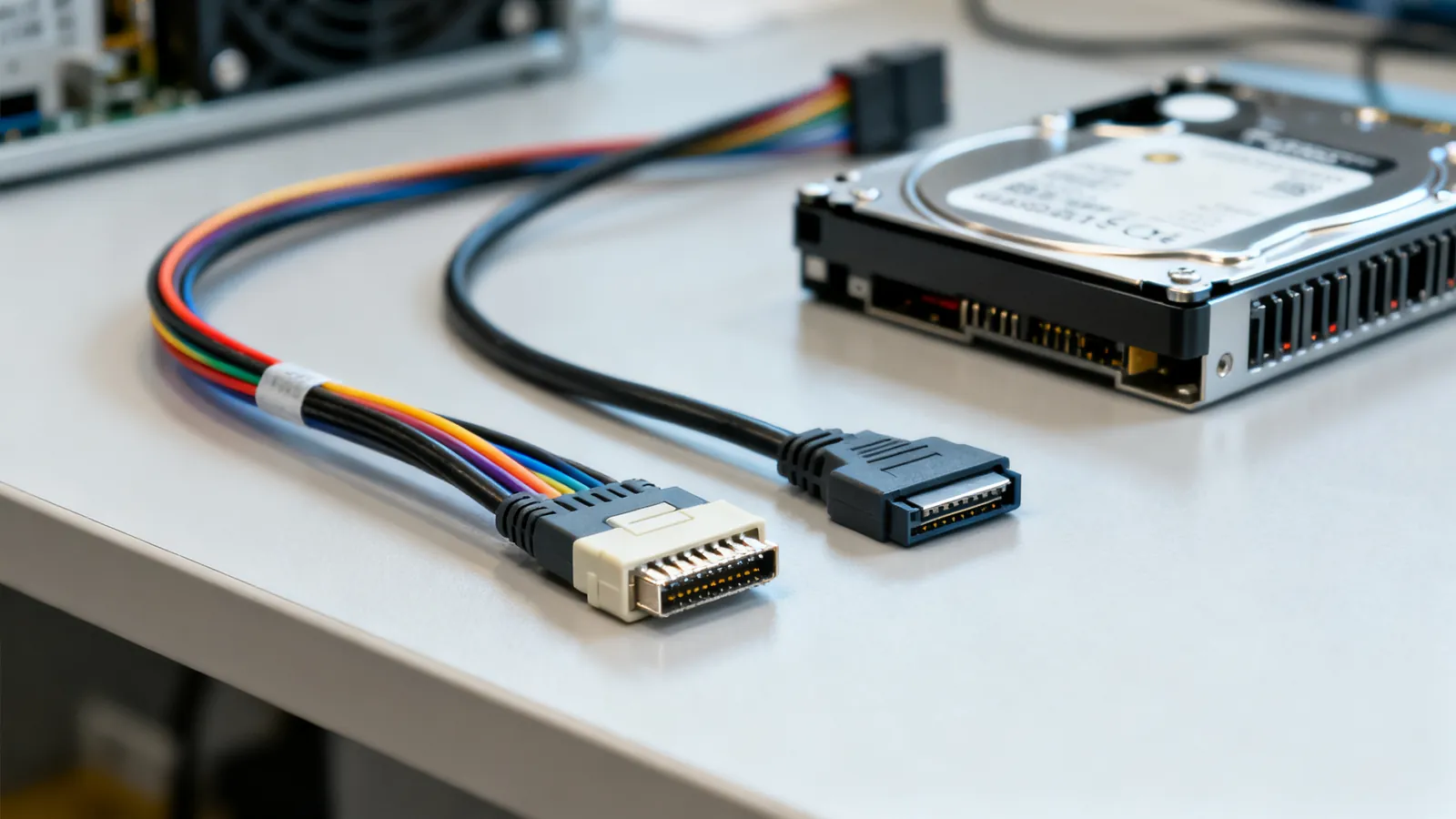
SAS and SATA are two serial storage interfaces that share the same 7-pin data connector shape but differ in speed, signalling, cable length and what each can talk to. SATA is the consumer and nearline interface: 1.5 Gbps (SATA I), 3 Gbps (SATA II) and 6 Gbps (SATA III), with a 7-pin data cable limited to 1 m (3.3 ft) and eSATA to 2 m (6.6 ft). SAS is the enterprise interface: SAS-1 at 3 Gbps, SAS-2 at 6 Gbps, SAS-3 at 12 Gbps and SAS-4 at 22.5 Gbps (marketed as 24G SAS), with multi-lane connectors and backplanes. The practical rule is one-way compatibility: a SAS controller or backplane accepts SATA drives, but a SATA controller cannot run SAS drives.
What each interface is
SATA is a point-to-point link: one host port, one drive, one 7-pin data cable and a separate 15-pin power connector. It is defined by SATA-IO and is what almost every desktop and laptop drive uses.
SAS is defined under T10 and is also point-to-point at the drive end, but the host end is usually a multi-lane port that fans out to several drives through a backplane or a breakout cable. SAS drives carry a dual-ported connector (SFF-8482) that includes the power pins, so a SAS drive in a backplane needs no separate power lead.
Both use the same physical 7-pin data contact arrangement, which is why a SATA drive plugs into a SAS backplane. The reverse does not work: a SAS drive has no SATA controller to negotiate with.
Speeds and what they mean in practice
| Interface | Link speed | Typical use |
|---|---|---|
| SATA I | 1.5 Gbps | Older desktop drives |
| SATA II | 3 Gbps | Older desktop and nearline drives |
| SATA III | 6 Gbps | Current desktop, laptop and nearline drives |
| SAS-1 | 3 Gbps | Legacy enterprise drives |
| SAS-2 | 6 Gbps | Enterprise drives and backplanes |
| SAS-3 | 12 Gbps | Current enterprise drives and SSDs |
| SAS-4 | 22.5 Gbps (24G SAS) | New enterprise backplanes and SSDs |
These are link rates, not sustained transfer rates. A SATA III drive with spinning platters will not saturate 6 Gbps; the interface is there for burst and for SSDs. A SAS-3 SSD can use far more of its 12 Gbps link than a mechanical SAS drive can.
SAS also supports wide ports: four lanes bonded into one logical link. A four-lane SAS-3 port is four 12 Gbps lanes, which is why backplanes and host bus adapters use the multi-lane connectors below.
The SAS connector family
The connectors are the part people get wrong, because several look similar and only some are interchangeable.
SFF-8482
The drive-side connector on a SAS drive. It combines the 7-pin data section and the power section in one shell, and it is keyed so a SAS drive only fits a SAS backplane. A SATA drive has a separate data and power connector and will fit a SAS backplane’s SATA-compatible position.
SFF-8087
Internal mini-SAS, four lanes in one connector. This is the classic host-side connector on older SAS controllers and backplanes. A single SFF-8087 port carries four drives’ worth of lanes.
SFF-8088
External mini-SAS, four lanes, with a latching shell for cables that leave the chassis to a disk shelf.
SFF-8643
Internal mini-SAS HD, four lanes, smaller than SFF-8087 and used on SAS-3 (12 Gbps) controllers and backplanes. It is not mechanically compatible with SFF-8087.
SFF-8644
External mini-SAS HD, four lanes, the external counterpart to SFF-8643 for 12 Gbps shelves.
Breakout cables: forward and reverse
A breakout cable splits one four-lane port into four single-drive connections. There are two kinds, and they are not interchangeable.
A forward breakout cable takes a host-side multi-lane port (SFF-8087 or SFF-8643) and fans it out to four individual SAS or SATA drive connectors. This is what you use to connect four drives directly to a controller without a backplane.
A reverse breakout cable does the opposite: it takes four individual host ports and combines them into one multi-lane connector, typically to feed a backplane from four separate controller ports. The wiring inside is different, so a forward cable used in reverse will not work and can miswire the lanes.
If you are also working with older parallel SCSI hardware, the termination and connector rules are different again; see SCSI cables, connectors and terminators for that family.
Cable length and signal integrity
SATA is the short one. The 7-pin data cable is specified up to 1 m (3.3 ft), and eSATA up to 2 m (6.6 ft). Longer passive SATA cables exist in the market but are outside the specification and are a common cause of drives dropping out or showing errors under load.
SAS runs further because it is designed for backplanes and shelves. Internal SAS cabling is short by nature, but external SAS links and backplane traces are engineered for the differential signalling and the connector impedance. Do not substitute a SATA cable for a SAS link, and do not extend a SAS link with a passive SATA extension.
For comparison, USB has its own length rules that are often confused with storage cabling; USB 3.0, 3.1, 3.2 and USB4: speeds and names decoded explains those separately.
Compatibility: what works with what
| Host | Drive | Works? |
|---|---|---|
| SAS controller or backplane | SAS drive | Yes |
| SAS controller or backplane | SATA drive | Yes |
| SATA controller | SATA drive | Yes |
| SATA controller | SAS drive | No |
A SAS backplane with a SATA drive installed is common in home labs and small servers. The drive runs at its own SATA speed, and the SAS expander handles the rest. What you cannot do is put a SAS drive on a plain SATA port: the controller has no SAS protocol support and the drive will not be detected.
SAS drives are also dual-ported. In a dual-controller enclosure, both controllers can see the drive, which is a redundancy feature SATA does not have.
What goes wrong
Using a SATA cable where SAS is required. The connectors may look similar, but a SATA data cable is not rated for the SAS link and the latch and keying differ. Use the correct SFF-8087 or SFF-8643 cable for the port.
Mixing forward and reverse breakout cables. They are wired differently. A forward cable will not feed a backplane from four host ports, and a reverse cable will not fan a single port out to four drives. Check the part number, not the shape.
Running SATA past 1 m. The 1 m (3.3 ft) limit for the 7-pin data cable is a signal-integrity limit, not a suggestion. If you need more reach, use eSATA at up to 2 m (6.6 ft) or move to a SAS backplane.
Assuming a SAS drive will work on a SATA port. It will not. The controller must speak SAS. This is the single most common compatibility mistake.
Forgetting power on SAS drives. A SAS drive in a backplane gets power through the SFF-8482 connector. A SAS drive connected with a breakout cable to a bare controller still needs its own power connection; the breakout cable carries data only.
Ignoring the expander. A SAS expander lets one host port address many drives, but it adds a layer that must be compatible with the controller and the backplane. If drives disappear when the expander is in the path, test the drive directly on the controller first.
Choosing cables for a build
Match the cable to the port, not to the drive. Identify the host connector first: SFF-8087 and SFF-8643 are internal, SFF-8088 and SFF-8644 are external. Then decide whether you need a straight multi-lane cable to a backplane or a breakout cable to individual drives. For a breakout, confirm forward or reverse against the controller documentation.
For the drives themselves, SATA III at 6 Gbps is the current desktop and nearline standard, while SAS-3 at 12 Gbps and SAS-4 at 22.5 Gbps cover enterprise SSDs and high-density backplanes. The cable is the cheapest part of the build and the most common point of failure when it is the wrong one.
Common questions
Can I use a SATA drive on a SAS controller?
Yes. A SAS controller or backplane accepts SATA drives, and the drive runs at its own SATA link speed. This is common in home labs and small servers where a SAS backplane is fitted with SATA drives.
Can I use a SAS drive on a SATA controller?
No. A SATA controller does not speak the SAS protocol, so a SAS drive will not be detected. The controller must support SAS for the drive to work.
What is the maximum SATA cable length?
The 7-pin SATA data cable is specified up to 1 m (3.3 ft). eSATA extends this to 2 m (6.6 ft). Longer passive cables are outside the specification and can cause drives to drop out under load.
What is the difference between SFF-8087 and SFF-8643?
Both are internal four-lane SAS connectors, but SFF-8643 is the smaller mini-SAS HD version used on SAS-3 (12 Gbps) controllers and backplanes. They are not mechanically compatible, so the cable must match the port.
How do I tell a forward breakout cable from a reverse one?
A forward breakout cable takes one host multi-lane port and fans it out to four drives. A reverse breakout cable takes four host ports and combines them into one multi-lane connector, usually to feed a backplane. They are wired differently and cannot be swapped.
Read next
SCSI Cables, Connectors and Terminators
SCSI cable types explained: 50-pin, HD68 and SCA-80 connectors, narrow vs wide buses, SE, LVD and HVD signalling, termination rules and length limits.
Null Modem Cables: Wiring, Adapters and Pinouts
A null modem cable crosses TX and RX to join two computers directly. Covers DB9 and DB25 pinouts, adapters versus cables, gender changers and loopback testing.
25-Pair Cable, RJ21, Hydra Cables, T1 and V.35
25-pair cable colour code, RJ21 connectors, hydra cables, T1 pinouts and V.35 links: what each carries, how far, and where a wrong connection damages hardware.
How to Crimp an RJ45 Connector Step by Step
Step-by-step RJ45 crimping: the right plug for solid or stranded cable, T568A or T568B pinout, the 13 mm untwist limit, testing, and why a cable fails.
Maximum Ethernet Cable Length: The 100 m Rule
Why Ethernet stops at 100 m (328 ft), how the limit splits between wall cable and patch cords, what fails beyond it, and ways past it: switches, fiber, extenders.