RG6 vs RG59: Which Coax Cable to Use
RG6 and RG59 are both 75 ohm coax, but they differ in centre conductor gauge and shielding. Learn which to use for TV, antenna, CCTV and MoCA networking.
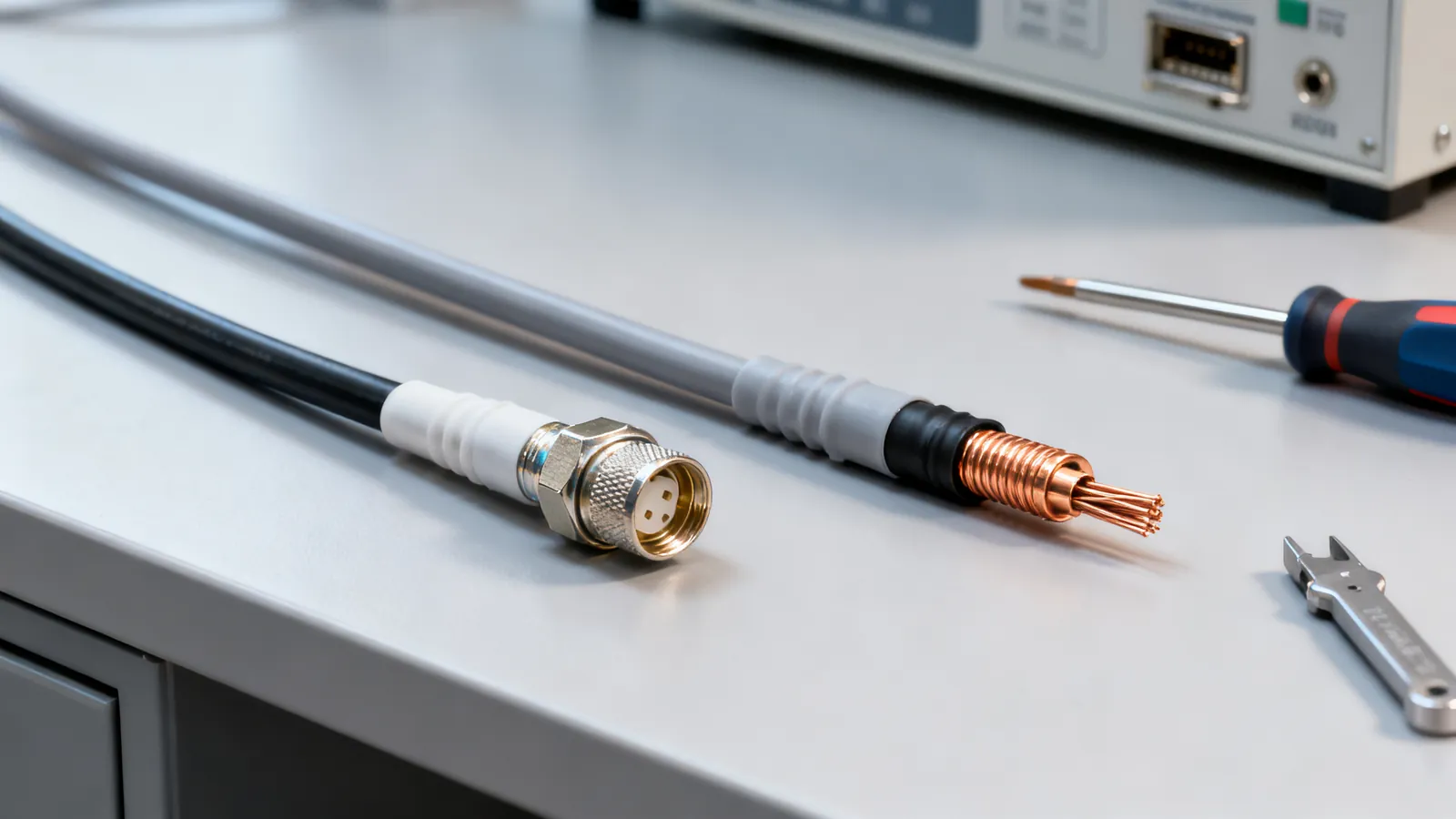
RG6 and RG59 are both 75 ohm coaxial cables, so they connect the same equipment and use the same F connectors, but they are not interchangeable in every job. RG6 has an 18 AWG centre conductor and is the right choice for satellite, digital cable TV, antennas and MoCA networking. RG59 has a 20 to 22 AWG centre conductor and belongs to older analogue TV and short analogue CCTV runs. The thicker centre conductor and better shielding of RG6 give lower signal loss, which matters more as cable length and frequency rise.
What RG6 and RG59 actually are
Coax cable carries a single signal on a centre conductor surrounded by a dielectric, a foil or braid shield, and an outer jacket. The 75 ohm impedance is a standard, not a brand, and it is what TV, satellite, antenna and CCTV equipment expect. A 50 ohm cable such as RG58 is a different animal, used for radio and test equipment, and should not be substituted.
| Property | RG6 | RG59 |
|---|---|---|
| Impedance | 75 ohm | 75 ohm |
| Centre conductor | 18 AWG | 20 to 22 AWG |
| Typical use | Cable TV, satellite, antenna, MoCA | Older TV, analogue CCTV, short runs |
| Shielding | Foil plus braid, often quad-shield | Foil plus braid |
| Connector | F connector (compression type) | F connector (compression type) |
Both cables use the same F connector, a threaded 75 ohm connector that screws onto the equipment port. Compression F connectors are the reliable type; twist-on connectors work loose and are a common cause of poor signal. The centre conductor of RG6 is thicker, so the connector must match the cable gauge. A connector sized for RG59 will not grip RG6 properly.
Where each cable belongs
RG6 is the default for anything installed today. Satellite and digital cable TV services use frequencies well above what RG59 was designed for, and RG6 keeps the signal stronger over the run. For a TV antenna, RG6 is also the right choice because antenna signals are weak and every decibel of loss counts. If the run is long or the signal is marginal, RG6 is the cable that gives the installation a chance.
RG59 still has a place. Short analogue CCTV runs, older set-top boxes and legacy equipment that already has RG59 in the wall can keep working. If the run is short and the signal is strong, RG59 will carry it. The problem comes when RG59 is used for a new satellite or MoCA installation, where the higher frequencies and longer runs expose its higher loss.
For a broader look at how coax fits into a building, see planning a wired home network.
F connectors, splitters and signal loss
Every connection and every splitter adds loss. A passive two-way splitter divides the signal and adds a few decibels of loss on each output; a four-way splitter adds more. Use the fewest splits the installation needs, and use splitters rated for the frequencies in use.
For MoCA, the splitter must be rated to 1675 MHz. MoCA sends Ethernet over TV coax in the 1125-1675 MHz range, and a splitter rated only to 1000 MHz will block or weaken the MoCA signal. A point-of-entry filter at the main line keeps the MoCA signal inside the home and stops it leaking onto the provider’s network.
MoCA 2.0 runs up to 1 Gbps and MoCA 2.5 up to 2.5 Gbps. It is a way to get a wired network connection to a room that already has coax, without pulling new cable. The coax must be in good condition, with compression F connectors and no loose splitters.
Coax for TV antenna and satellite
An antenna installation is where cable choice shows up most. The signal at the antenna is weak, and the cable run to the TV or receiver adds loss. RG6 with good shielding keeps more of that signal. Use a single continuous run where possible, and keep the cable away from mains power conductors. The NEC asks for at least 50 mm (2 in) between communications cable and mains power conductors unless a barrier separates them, and power cables should be crossed at a right angle. Mains work itself is a job for a licensed electrician.
For satellite, the receiver often powers the LNB through the coax, so the cable must be in good condition and the connectors must be properly fitted. A poor connector or a damaged cable can stop the LNB from working at all.
What goes wrong
The most common mistake is using RG59 for a new satellite, digital cable or MoCA installation because it is already in the wall. It may work on a short run, but it will not carry the higher frequencies as well as RG6, and the symptom is usually a signal that drops out in bad weather or at certain channels.
Twist-on F connectors are another frequent failure. They work loose, corrode and do not make a reliable shield connection. Compression connectors are the standard for a reason.
A splitter rated only to 1000 MHz will block MoCA. If MoCA is planned, every splitter in the path must be rated to 1675 MHz, and a point-of-entry filter should be fitted at the main line.
Mixing 75 ohm and 50 ohm cable or connectors is a mistake. They may mate mechanically in some cases, but the impedance mismatch causes signal reflections and loss. Keep 75 ohm coax for TV, satellite, antenna and CCTV, and use 50 ohm coax for radio and test equipment.
Finally, do not run coax inside walls unless the jacket is rated for it. Indoor cable is not rated for outdoor use; outdoor cable needs a UV-resistant jacket, and direct-burial cable is gel-filled or flooded to keep water out.
Coax in the wider AV and network picture
Coax is one of several cable families in an AV or network installation. Audio cables such as XLR, TRS, TS, RCA and 3.5 mm have their own rules for balance, level and connector type, covered in audio cable types. For video over coax in professional and broadcast work, BNC connectors and SDI video cables are the standard, covered in BNC connectors and SDI video cables.
For a home network, coax is usually a complement to Ethernet, not a replacement. Ethernet over twisted pair runs 100 m (328 ft) per channel, and fiber goes much further. Coax is best used where it already exists and pulling new cable is impractical, which is exactly the case MoCA was designed for.
Choosing between RG6 and RG59
Use RG6 for any new installation: satellite, digital cable TV, antenna, MoCA and any run where signal quality matters. Use RG59 only for short analogue CCTV runs or to keep legacy equipment working on existing cable. If in doubt, RG6 is the safer choice because it works in more situations and gives more margin.
When buying, look for RG6 with a copper centre conductor and good shielding. Copper-clad steel centre conductors are common in some RG6 and are acceptable for many TV and satellite runs, but copper gives lower resistance. For MoCA and satellite, a quality RG6 with compression F connectors is the practical choice.
Check the connectors match the cable gauge, use splitters rated for the frequencies in use, and keep the number of splitters to a minimum. A clean installation with good connectors will outperform a better cable with poor terminations every time.
Common questions
Can I use RG59 for MoCA?
RG59 can carry MoCA on a short run, but it has higher loss than RG6 and may not work reliably. MoCA uses frequencies from 1125 to 1675 MHz, and RG6 is the better choice. If RG59 is already in the wall and the run is short, it may work, but RG6 is recommended.
What is the difference between RG6 and RG59?
Both are 75 ohm coax, but RG6 has an 18 AWG centre conductor and RG59 has a 20 to 22 AWG centre conductor. RG6 has lower signal loss and is used for satellite, digital cable TV, antennas and MoCA. RG59 is used for older analogue TV and short analogue CCTV runs.
Can I use RG6 for CCTV?
Yes, RG6 works for CCTV and is often preferred for longer runs because it has lower loss. RG59 is common on older analogue CCTV systems and is fine for short runs. For new installations, RG6 is the better choice.
Do RG6 and RG59 use the same connectors?
Both use F connectors, but the connector must match the cable gauge. RG6 has a thicker centre conductor, so a connector sized for RG59 will not fit properly. Compression F connectors are the reliable type for both cables.
What splitter do I need for MoCA?
MoCA operates in the 1125-1675 MHz range, so the splitter must be rated to 1675 MHz. A splitter rated only to 1000 MHz will block or weaken the MoCA signal. A point-of-entry filter at the main line keeps the signal inside the home.
Read next
Optical vs Coaxial Digital Audio: TOSLINK and S/PDIF
TOSLINK and coaxial S/PDIF compared: what each carries, cable limits, connector types, and when HDMI eARC is the better choice for surround sound.
BNC Connectors and SDI Video Cables: 50 vs 75 Ohm
BNC connectors come in 50 and 75 ohm versions. Learn which to use for SDI video, CCTV and test gear, the SDI data rates, and how to convert BNC to RCA.
Audio Cable Types: XLR, TRS, TS, RCA and 3.5 mm
XLR, TRS, TS, RCA and 3.5 mm audio cables compared: what each carries, balanced vs unbalanced wiring, line levels, TRRS pin orders and which adapters work.
HDMI Cable Types: Standard to Ultra High Speed
HDMI cables are certified by speed, not version. Compare Standard, High Speed, Premium High Speed, Ultra High Speed and Ultra96, and how to verify a label.
HDMI 1.4, 2.0, 2.1 and 2.2: Versions and Cable Speeds
HDMI 1.4, 2.0, 2.1 and 2.2 compared: bandwidth, resolutions, refresh rates, eARC and VRR. Learn why cables are rated by speed, not version.